

Contact Us on 0543297829

Fastwifi
العربية
Log in / Register
Account & Orders
  • Home
  • WiFi/Router
  • CCTV/Camera
    • Hikvision
    • Samsung
    • Dahua
  • Networking
  • PBX services
  • FAQ
  • Services
    • Wifi Installation
      • EnGenius
      • Ubiquiti-Unifi
      • Linksys Velop
      • Deco Installation
      • ASUS Mesh
      • D-link Eagle mesh
      • New WiFi
      • WiFi Assistance
      • WIFI Repair Services
      • Villa WiFi Solution
      • WiFi Relocation Services
      • WiFi Fixes
      • WiFi Setup In Outdoor
      • Structured Cabling
      • WiFi Solutions For Restaurant
      • Mesh WiFi
      • Troubleshooting the Internet
      • Wifi Setup
      • WiFi Site Surveys
      • Remote Support
      • TP-Link WiFi Router Installation Services
      • WiFi Technician
      • Fast WiFi Service
      • WiFi Optimization
      • Hotel WiFi Solution
      • Boost WiFi Signal
      • Advanced WiFi Options
      • Cafe WiFi Solutions
      • IT Support Technician
      • Boost The Stability of WiFi
      • Apartments WiFi Solutions
      • Healthcare WiFi Solutions
      • On Site IT Support Services
      • Schools Wi-Fi Solutions
      • Smart Home WiFi Solutions
      • Parking Wi-Fi Coverage
      • Parental Control Setup
      • Advanced WiFi Solutions
      • Multi-Floor Home WiFi Setup
      • Cloud-Managed WiFi Networks
      • WiFi Load Balancing Solutions
      • Secure WiFi Network Design
      • High-Density WiFi for Events
      • Firewall Installation & Configuration
      • Network Monitoring & Maintenance
      • Bandwidth Management Solutions
    • PBX Services
  • Contact us
  • Products
    • WiFi Access Point
    • Wireless Mesh
    • CCTV/Camera
    • Networking
    • PBX Pabx
    • IP Phones
      • Flyingvoice
Fastwifi
  • Home
  • WiFi/Router
  • CCTV/Camera
  • Networking
  • PBX services
  • FAQ
  • Services
  • Contact us
  • Products
  • Hikvision
  • Samsung
  • Dahua
  • Wifi Installation
  • PBX Services
  • WiFi Access Point
  • Wireless Mesh
  • CCTV/Camera
  • Networking
  • PBX Pabx
  • IP Phones
  • EnGenius
  • Ubiquiti-Unifi
  • Linksys Velop
  • Deco Installation
  • ASUS Mesh
  • D-link Eagle mesh
  • New WiFi
  • WiFi Assistance
  • WIFI Repair Services
  • Villa WiFi Solution
  • WiFi Relocation Services
  • WiFi Fixes
  • WiFi Setup In Outdoor
  • Structured Cabling
  • WiFi Solutions For Restaurant
  • Mesh WiFi
  • Troubleshooting the Internet
  • Wifi Setup
  • WiFi Site Surveys
  • Remote Support
  • TP-Link WiFi Router Installation Services
  • WiFi Technician
  • Fast WiFi Service
  • WiFi Optimization
  • Hotel WiFi Solution
  • Boost WiFi Signal
  • Advanced WiFi Options
  • Cafe WiFi Solutions
  • IT Support Technician
  • Boost The Stability of WiFi
  • Apartments WiFi Solutions
  • Healthcare WiFi Solutions
  • On Site IT Support Services
  • Schools Wi-Fi Solutions
  • Smart Home WiFi Solutions
  • Parking Wi-Fi Coverage
  • Parental Control Setup
  • Advanced WiFi Solutions
  • Multi-Floor Home WiFi Setup
  • Cloud-Managed WiFi Networks
  • WiFi Load Balancing Solutions
  • Secure WiFi Network Design
  • High-Density WiFi for Events
  • Firewall Installation & Configuration
  • Network Monitoring & Maintenance
  • Bandwidth Management Solutions
  • Flyingvoice
Cart
Your shopping cart looks empty.
Start shopping
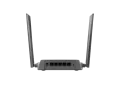
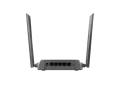
DIR-615 d-link router
1 / 3

DIR-615 d-link router

WhatsApp
About this product

D‑Link DIR‑615 – Wireless N300 Router

Reliable 300 Mbps Wi‑Fi • Affordable Home Networking • Easy Setup & Secure Connectivity

The D‑Link DIR‑615 is a cost‑effective Wireless N300 router designed for small homes and apartments. With speeds up to 300 Mbps, enhanced coverage using external antennas, and built‑in security features, it provides a stable and reliable Wi‑Fi experience for everyday browsing, streaming, and online gaming. Its simple setup wizard makes installation effortless for all users.

Key Features

  • Wireless N300 Speeds
    • Up to 300 Mbps on 2.4 GHz for smooth browsing, streaming, and gaming
  • Improved Coverage with 5 dBi external antennas
  • Repeater Mode to extend existing Wi‑Fi networks
  • Flexible Connectivity
    • 4 × Fast Ethernet LAN ports
    • 1 × Fast Ethernet WAN port
  • Strong Security
    • WPA/WPA2 encryption
    • NAT firewall
    • WPS for quick secure device pairing
  • Easy Setup with browser‑based configuration and guided setup wizard
  • Ideal for small homes, apartments, and basic multi‑device usage

Hardware Specifications

Device Interfaces

  • 1 × 10/100 Mbps WAN (Internet) port
  • 4 × 10/100 Mbps LAN ports
  • Wireless N300 (2.4 GHz)

Antenna System

  • 5 dBi external antennas (improved range & stability)

LED Indicators

  • Power
  • WLAN
  • Internet

Physical

  • Dimensions: 158 × 131.35 × 35.75 mm
  • Weight: 152 g
  • Power:
  • Input: 100–240 V AC
  • Output: 5 V / 1 A

Wireless Specifications

Standards

  • IEEE 802.11n/g/b
  • IEEE 802.3 / 802.3u / 802.3x

Frequency

  • 2.4 GHz

Wireless Speeds

  • 300 Mbps (11n)
  • 54 Mbps (11g)
  • 11 Mbps (11b)

Wireless Features

  • Repeater Mode
  • UPnP support
  • SmartBeam coverage enhancement
  • WPS (Wi‑Fi Protected Setup)
  • Wireless scheduling
  • Web‑based configuration

Security

  • WPA/WPA2 (Personal & Enterprise)
  • WPS for secure device pairing
  • NAT Firewall
  • Access Control
  • MAC Filtering

Management Features

  • Web‑based management (HTTP/HTTPS)
  • Setup Wizard
  • UPnP
  • Local/Remote Syslog
  • Firmware upgrade via web UI

Minimum System Requirements

  • Windows, macOS, or Linux
  • Modern web browser (Chrome, Firefox, Edge, Safari, Opera)
  • Internet subscription from an ISP

Environmental

  • Operating Temp: 0–40°C
  • Storage Temp: –20–65°C
  • Operating Humidity: 10–90% (non‑condensing)
  • Storage Humidity: 5–95% (non‑condensing)

Certifications

  • CE
  • FCC
  • MTCTE

Use‑Case Clarity

Ideal For

  • Small homes & apartments
  • Basic streaming & browsing
  • Online gaming for casual users
  • Extending Wi‑Fi coverage using Repeater Mode
  • Connecting multiple wired devices (PC, TV, console)

Why It Fits These Environments

  • Affordable & reliable for everyday use
  • Good coverage with external antennas
  • Simple setup for non‑technical users
  • Secure Wi‑Fi with WPA/WPA2 and firewall protection

DIR-615 d-link router
Fastwifi

IT Services UAE: WiFi Fixing, CCTV Installation, Networking & PABX

Connect with us

© 2026 Fastwifi, Powered by Eaglecart

Privacy policy • Terms of service • Return and refund policy
Loading...