WiFi 7 vs WiFi 6E: Should You Upgrade in 2026?
Next-Gen Wireless Standards for UAE Homes, Villas & Businesses
WiFi technology continues to improve, giving homes and businesses faster wireless connections, better network capacity, and more responsive online experiences. However, if you already use WiFi 6E, you may be wondering whether upgrading to WiFi 7 in 2026 is really worth the investment.
Need Expert Advice on Upgrading to WiFi 7 or WiFi 6E?
Connect with certified network engineers for prompt on-site RF site surveys, enterprise wireless speed audits, multi-gigabit access point installations, and structured cabling across Dubai, Abu Dhabi, Sharjah, and all UAE Emirates.
support@fastwifi.ae | Call or WhatsApp: +971 54 329 7829 | Serving All Over the UAE
The answer depends on your internet speed, connected devices, property size, network congestion, and the applications you use every day. Although WiFi 7 introduces important technical improvements, not every household or business will notice the same benefits.
At FastWiFi, we help customers choose practical wireless networking solutions for homes, villas, offices, and commercial properties. In this comprehensive guide, we explain the real-world differences between WiFi 7 and WiFi 6E, the architectural advantages of each standard, and when an upgrade genuinely makes sense for UAE properties.
Planning a network upgrade for your home, villa, or commercial office?
FastWiFi evaluates your property layout, device density, and broadband speed to design an optimized wireless network tailored to your budget.
WhatsApp Us Call UsWhat Is WiFi 6E?
WiFi 6E extends proven WiFi 6 (802.11ax) technology into the 6 GHz frequency band, where permitted by local regulations such as the UAE’s Telecommunications and Digital Government Regulatory Authority (TDRA). In addition to the traditional 2.4 GHz and 5 GHz bands, compatible WiFi 6E devices can access up to 1,200 MHz of pristine, non-overlapping spectrum.
Because legacy devices limited to older WiFi standards cannot transmit on the 6 GHz spectrum, WiFi 6E creates an exclusive "fast lane" free from the legacy contention that bogs down traditional airwaves.
Key benefits include:
- Access to the 6 GHz band on compatible equipment, eliminating microwave and Bluetooth contention.
- Less interference from devices restricted to legacy 2.4 GHz and 5 GHz WiFi bands.
- Support for demanding applications such as low-latency 4K/8K video streaming and crystal-clear video conferencing.
- Improved wireless capacity when multiple compatible laptops, phones, and tablets connect simultaneously.
- Strong, dependable performance for modern UAE homes, luxury villas, and corporate offices.
However, WiFi 6E does not automatically eliminate dead zones or guarantee high speeds in every room. Solid concrete walls, thick floor slabs, poor access point placement, and client device limitations still govern real-world performance.
What Is WiFi 7?
WiFi 7, based on the groundbreaking IEEE 802.11be standard (Extremely High Throughput or EHT), builds upon the 6 GHz foundation of WiFi 6E with revolutionary features designed to maximize speed, minimize latency, and optimize spectral efficiency.
Its most transformative feature is Multi-Link Operation (MLO), which enables compatible client devices to transmit and receive data across multiple frequency bands (such as 5 GHz and 6 GHz) simultaneously. Instead of being locked into a single frequency lane, a WiFi 7 device dynamically bundles links together or sends packets across the first available band.
WiFi 7 also doubles channel widths up to 320 MHz in the 6 GHz band, upgrades modulation to 4096-QAM (4K QAM) to carry 20% more data per symbol, and introduces Preamble Puncturing to utilize channel spectrum even when partial interference exists.
Key benefits include:
- Higher potential speeds: Ultra-wide 320 MHz channels and 4K QAM deliver theoretical maximum data rates exceeding 40 Gbps under lab conditions.
- Deterministic, ultra-low latency: Multi-Link Operation (MLO) reduces latency spikes and packet jitter, perfect for real-time cloud gaming and AR/VR.
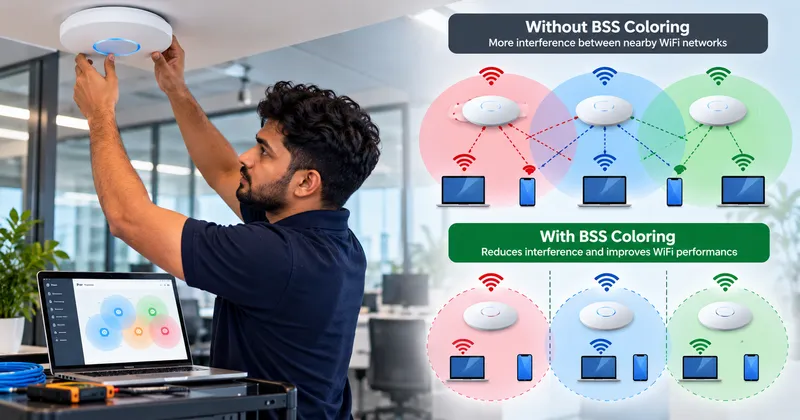
- Better handling of interference: Preamble puncturing lets devices transmit on clean slices of a channel rather than abandoning the entire block.
- Greater enterprise capacity: WiFi 7 serves high-density commercial spaces and automated smart homes with effortless concurrency.
- Support for future network demands: A robust foundation ready for next-generation multi-gigabit fiber connections.
Nevertheless, these benefits depend heavily on the access point, client device compatibility, available spectrum, physical obstacles, and proper network configuration. Buying a WiFi 7 router alone will not magically transform older WiFi 5 or WiFi 6 devices into high-speed performers.
WiFi 7 vs WiFi 6E: Technical Comparison
| Technical Feature | WiFi 6E (802.11ax) | WiFi 7 (802.11be) |
|---|---|---|
| Supported Frequency Bands | 2.4 GHz, 5 GHz, 6 GHz | 2.4 GHz, 5 GHz, 6 GHz |
| Maximum Channel Width | Up to 160 MHz | Up to 320 MHz (Doubled channel width) |
| Modulation Scheme | 1024-QAM (1K QAM) | 4096-QAM (4K QAM - 20% higher data density) |
| Multi-Link Operation (MLO) | Not Supported (Single band connection) | Fully Supported (Concurrent multi-band links) |
| Maximum Spatial Streams | 8x8 MU-MIMO | 16x16 MU-MIMO (Doubled spatial capacity) |
| Theoretical Maximum Speed | Up to 9.6 Gbps | Up to 46 Gbps |
| Spectrum Puncturing | Limited support | Preamble Puncturing (Bypasses partial interference) |
1. Speed: Is WiFi 7 Much Faster?
WiFi 7 has a substantially higher performance ceiling than WiFi 6E. Its wider 320 MHz channels and 4096-QAM modulation can deliver blistering data rates when the access point and client device support these features under favorable conditions.
For example, a compatible WiFi 7 laptop connecting close to a suitable access point may achieve throughput surpassing 2 Gbps to 5 Gbps over the air—faster than standard Gigabit wired Ethernet. This is exceptionally beneficial for massive creative file transfers, local Network Attached Storage (NAS) backups, 8K video editing, and multi-gigabit broadband subscriptions.
However, the difference may be much smaller during everyday web browsing, social media scrolling, or standard video streaming.
Consider your internet package as well. If your broadband connection from Etisalat or du provides 500 Mbps and your existing WiFi 6E network already delivers that speed reliably, upgrading the wireless standard will not make your internet downloads faster. Before purchasing, verify your current speeds, check your broadband plan, and identify whether your wireless network is genuinely the limiting bottleneck.
2. Latency and Gaming Performance
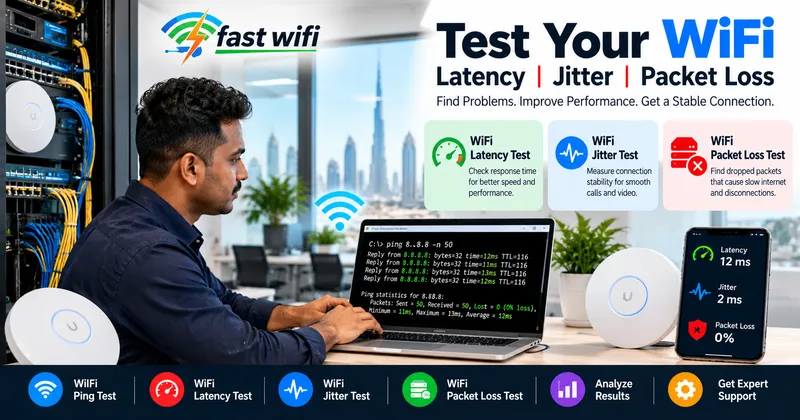
Latency is the time data takes to travel between devices and their destination. It is the defining metric for online gaming, video conferencing, remote desktop protocols (RDP), cloud computing, and interactive applications.
WiFi 7’s Multi-Link Operation (MLO) significantly improves responsiveness. In traditional WiFi (including 6E), a device connects on one band at a time (e.g., 5 GHz). If that band encounters momentary interference or a competing transmission, your packets must wait, causing ping spikes and lag. With MLO, a WiFi 7 device can transmit packets across both 5 GHz and 6 GHz simultaneously or hop to the clearer band instantly, driving latency down into the low single-digit milliseconds.
Still, upgrading to WiFi 7 will not automatically fix every lag problem. High latency can originate from your ISP’s international routing, server distance, an overloaded router, or internal network bufferbloat. Where practical, a solid Cat6/Cat6A wired Ethernet connection remains the gold standard for competitive gaming.
3. WiFi 7 vs WiFi 6E for Busy Homes and Villas
Large villas and multi-storey homes across Dubai and Abu Dhabi often support 50 to 100+ connected devices, including smart TVs, laptops, smartphones, security cameras, gaming consoles, and smart home IoT equipment.
In these dense environments, WiFi 7 provides noticeable improvements when multiple compatible devices demand high throughput simultaneously. While one family member streams 4K video and another joins a live virtual conference, MLO and wider channels keep traffic moving without congestion.
However, coverage is not the same as capacity. A powerful standalone router placed in a ground-floor utility room cannot overcome reinforced concrete walls, marble floor slabs, or thermal glass. For large UAE villas, a professionally engineered network featuring strategically placed wired access points or a tri-band mesh system delivers far better real-world coverage than simply swapping an existing router for an expensive standalone WiFi 7 box.
4. WiFi 7 vs WiFi 6E for Offices and Businesses
Commercial networks support heavy concurrent loads from corporate laptops, mobile phones, network printers, VoIP systems, cloud databases, and guest devices.
While WiFi 6E already provides exceptional performance for many offices by utilizing uncongested 6 GHz channels, WiFi 7 is highly attractive for forward-thinking enterprises operating high-density workspaces, financial trading floors, medical diagnostic clinics, and tech studios.
Key commercial benefits include:
- Seamless high-density handling across open-plan offices and auditoriums.
- Jitter-free voice and video calling through MLO link aggregation.
- Multi-gigabit backhauling capability to core 10GbE network switches.
- A future-ready platform that supports new employee hardware for the next 5 to 7 years.
Even so, commercial success requires more than modern hardware. Access point placement, channel planning, PoE+ power budgeting, VLAN segmentation, and enterprise firewall configuration ultimately dictate network stability. A professional WiFi site survey will determine whether an upgrade to WiFi 7 is warranted.
Planning a commercial or residential wireless deployment in the UAE?
FastWiFi installs, configures, and certifies enterprise wireless networks across Dubai, Abu Dhabi, and the Northern Emirates.
WhatsApp Us Call Us5. Device Compatibility: Will Your Devices Support WiFi 7?
Compatibility is the most important factor when deciding whether to upgrade. WiFi standards are backward-compatible, meaning an older phone or laptop will connect to a WiFi 7 router without issue. However, an older device will only connect at its own supported standard.
To unlock WiFi 7 speeds, 320 MHz channels, and MLO, your laptops, smartphones, and tablets must have dedicated WiFi 7 chipsets built into them. While flagship devices released in 2024 through 2026 feature WiFi 7, many existing smart TVs, gaming consoles, and IoT devices remain on WiFi 5 or WiFi 6.
If the vast majority of your household or office devices are on WiFi 6 or older, an immediate hardware upgrade will deliver minimal real-world performance change. However, if your team is refreshing laptops and mobile devices this year, investing in WiFi 7 ensures your network is aligned with modern hardware capabilities.
6. Does WiFi 7 Have Better Range Than WiFi 6E?
Not necessarily. WiFi 7 is engineered to maximize data throughput and spectral efficiency, but it does not alter the fundamental laws of radio physics.
Both WiFi 6E and WiFi 7 utilize the 6 GHz spectrum band. Because higher radio frequencies attenuate faster over distance and struggle to penetrate dense obstacles compared to 2.4 GHz or 5 GHz waves, a 6 GHz signal will not travel further than a 5 GHz signal under identical transmission power limits. Furthermore, 4096-QAM modulation and 320 MHz channels require strong, clean signal-to-noise ratios (SNR). As you move farther from the access point, client devices step down to lower modulation schemes and narrower channels.
For comprehensive coverage across large properties, focus on:
- Positioning the primary access point centrally in open living or working areas.
- Installing multiple access points connected via structured Ethernet cabling across floors.
- Deploying dedicated outdoor access points for landscaped gardens, pools, and balconies.
- Conducting on-site signal mapping to eliminate localized dead zones.
7. Is WiFi 7 Worth the Extra Cost in 2026?
The best upgrade decision is based on the practical value you receive rather than theoretical marketing claims. WiFi 7 hardware carries a premium price point compared to mature WiFi 6 and 6E equipment. Making full use of WiFi 7 may also require upgrading to multi-gigabit (2.5GbE/10GbE) managed switches, PoE+ power injectors, and certified Cat6A cabling.
Upgrade to WiFi 7 if:
- You are building a brand-new corporate network or luxury villa and want maximum longevity.
- You subscribe to a 1 Gbps+ broadband plan and want multi-gigabit wireless performance.
- Your staff or family actively use compatible WiFi 7 laptops, phones, and workstations.
- You require ultra-low latency for competitive gaming, VR, or live video production.
Keep WiFi 6E if:
- Your existing network already provides reliable speeds and clean coverage throughout.
- Your connected devices primarily support WiFi 6 or older standards.
- Your internet plan is under 500 Mbps, where WiFi 6E already provides full throughput.
- Your primary issue is poor coverage caused by walls rather than wireless airtime capacity.
8. What About WiFi 7 in the UAE?
For homes and businesses in the UAE, deploying WiFi 7 requires taking local telecommunications regulations and infrastructure into account.
The UAE TDRA regulates wireless radio spectrum and power output limits across 2.4 GHz, 5 GHz, and 6 GHz frequencies. Ensure that imported or purchased access points are compliant with local UAE frequency regulations and certified for indoor deployment.
Furthermore, verify your wired network infrastructure. Connecting an advanced WiFi 7 access point with a 10GbE uplink into an older 1 Gbps switch or Cat5e cable will severely limit the access point's potential. FastWiFi provides end-to-end audits ensuring that incoming fiber, core switches, structured cabling, and wireless access points are fully harmonized.
9. How to Decide Whether You Need an Upgrade
Use this structured checklist before investing in new network hardware:
- Check your current speeds: Test wired and wireless speeds next to the router and in high-usage rooms.
- Identify the true bottleneck: Is the problem slow bandwidth, dead zones behind concrete, high ping, or client congestion?
- Audit client devices: Check how many phones, laptops, and tablets support WiFi 6E or WiFi 7.
- Review your broadband plan: Ensure your ISP package can take advantage of next-generation wireless capacity.
- Assess property layout: Determine how many wired access points or mesh nodes are required to cover all floors.
- Calculate the total infrastructure cost: Include multi-gigabit PoE switches and structured Cat6A cabling.
Brands We Support
We work with almost every popular router, access point, networking, and WiFi system brand available in the UAE market:
We Serve
Expert wireless networking, WiFi 6E/7 installations, structured cabling, and proactive IT support across all key industry sectors:
Serving All Over the UAE — Finding a Reliable Network Specialist Near Me
Whether you are searching for a qualified WiFi technician near me to test latency, need whole-home villa coverage in Dubai or Abu Dhabi, or require enterprise networking in Sharjah or Ajman, FastWiFi delivers rapid on-site dispatch across all seven Emirates:
Dubai
Business Bay, Downtown Dubai, DIFC, Dubai Marina, JLT (Jumeirah Lake Towers), JBR, Palm Jumeirah, Dubai Media City, Dubai Internet City, Dubai Knowledge Park, Al Barsha, Al Quoz, Deira, Bur Dubai, Silicon Oasis, JVC, Dubai South, DWC, DIP, Al Qusais, Al Twar, Al Warqa, Nad Al Hamar, Tilal Al Ghaf, Damac Hills 2, Dubai City Walk, Dubai Hills Estate, Discovery Gardens, Arabian Ranches, Oud Metha, Al Khawaneej, Al Mizhar, Muhaisnah, Sobha Hartland, Meydan, Emaar South, Umm Ramool, Umm Al Sheif, Al Bada'a, Al Hudaiba, Dubai Science Park.
Abu Dhabi
Al Maryah Island, Reem Island, Yas Island, Saadiyat Island, Khalifa City, Mussafah Industrial Area, Al Raha Beach, Mohammed Bin Zayed City (MBZ), KIZAD, ICAD, Corniche, Al Bateen, Al Khalidiyah.
Sharjah
Al Majaz, Muwaileh Commercial, Al Nahda, Al Khan, Al Taawun, Al Qasimia, Sharjah Waterfront City, University City, SAIF Zone, Industrial Areas 1 to 18, Al Dhaid, Kalba, Khorfakkan.
Northern Emirates
Ajman: Aamra, Aalia, Al Nuaimia, Al Rawda, Al Jurf, Al Rashidiya, Al Mowaihat, Al Zorah, Manama, Masfout.
Umm Al Quwain: Industrial Area, Al Salama.
Ras Al Khaimah: Al Hamra Village, Al Marjan Island, Nakheel.
Fujairah: City Centre, Port of Fujairah, Dibba.
Our Review Words Across the UAE
"FastWiFi helped us evaluate whether to upgrade to WiFi 7 for our tech consultancy office in Dubai Internet City. Instead of selling us expensive standalone routers, they conducted an on-site RF spectrum audit, demonstrated that our main bottleneck was cable backhaul, and deployed WiFi 6E access points with multi-gigabit Cat6A drops. Our speeds jumped from 150 Mbps to 850 Mbps across every desk. Highly ethical and technically brilliant team!"
— IT Director, Tech Consultancy Group, Dubai
"We built a new five-bedroom villa in Palm Jumeirah and wanted the best future-proof network available. FastWiFi designed a complete WiFi 7 access point setup with MLO enabled and 10G wired backhauls. We have zero dead zones from the basement home theatre to the rooftop terrace, and our gaming ping is under 5 ms. Truly outstanding engineering."
— Villa Owner, Palm Jumeirah, Dubai
Expert Support Beyond Installation and Delivery
Reliable Ongoing Support After Installation
Our commitment doesn’t end with installation. We provide reliable ongoing support and maintenance to help keep your network fast, secure, stable, and performing at its best throughout the year. Whether you need troubleshooting, optimization, upgrades, or routine maintenance, our team is here to help keep your network running smoothly.
Every structured cabling project, WiFi 6E/7 deployment, and commercial wireless network we configure includes comprehensive documentation, Fluke test reports, and dedicated annual maintenance options across the UAE.
Frequently Asked Questions
Is WiFi 7 better than WiFi 6E?
WiFi 7 offers additional capabilities, including Multi-Link Operation (MLO), wider channels of up to 320 MHz on 6 GHz, and 4K QAM. These can improve throughput and responsiveness when supported by compatible devices and suitable conditions. However, WiFi 6E remains an exceptional, highly capable choice for many users in 2026.
Can I get an experienced WiFi technician near me in Dubai or Abu Dhabi today?
Yes. FastWiFi maintains dedicated mobile engineering units operating throughout Dubai, Abu Dhabi, and Sharjah, with rapid response teams covering the Northern Emirates. We provide same-day or next-day on-site site visits for network diagnostics, latency troubleshooting, and wireless access point installations.
Can WiFi 7 work with my older phones, tablets, and smart TVs?
Yes. WiFi 7 routers are fully backward-compatible and support older WiFi standards (WiFi 6, WiFi 5, and legacy 802.11n). Older devices will continue to operate according to their own supported capabilities and will not gain all WiFi 7 features, but they will connect securely without issues.
Does upgrading to WiFi 7 increase my internet download speed?
It can improve the wireless connection's available throughput and local network file transfer speeds, but it cannot increase the speed supplied by your internet provider. Actual internet performance depends on your broadband package from Etisalat or du, network equipment, signal quality, and connected devices.
Can a standalone WiFi 7 router solve dead zones in a concrete villa?
Not by itself. UAE villas feature thick reinforced concrete slabs and masonry that block high-frequency radio waves regardless of the router's generation. Dead zones require proper access point placement, multiple access points connected via Cat6A cabling, or a suitable wired mesh system. A professional site survey identifies the right physical solution.
Our Specialized Network & Infrastructure Services
Need WiFi Installation or an Upgrade in the UAE?
FastWiFi provides professional WiFi installation, router configuration, wireless access point installation, WiFi troubleshooting, and coverage improvement for homes, villas, offices, and businesses. We can help you assess whether WiFi 6E is sufficient or whether a WiFi 7 setup is appropriate for your requirements.
Related Network Services
WiFi 7 Installation Dubai | WiFi 6E Network Setup Abu Dhabi | Multi-Link Operation MLO Optimization | Access Point Installation Near Me | Cat6A 10GbE Structured Cabling UAE | Cisco Meraki WiFi 7 Deployment | Ubiquiti UniFi WiFi 7 Setup Sharjah | Commercial High-Density Wireless Survey | Low Voltage Contractor Dubai | Gaming Latency & Jitter Optimization | Enterprise Wireless Network Audit.